The way the organized people do it
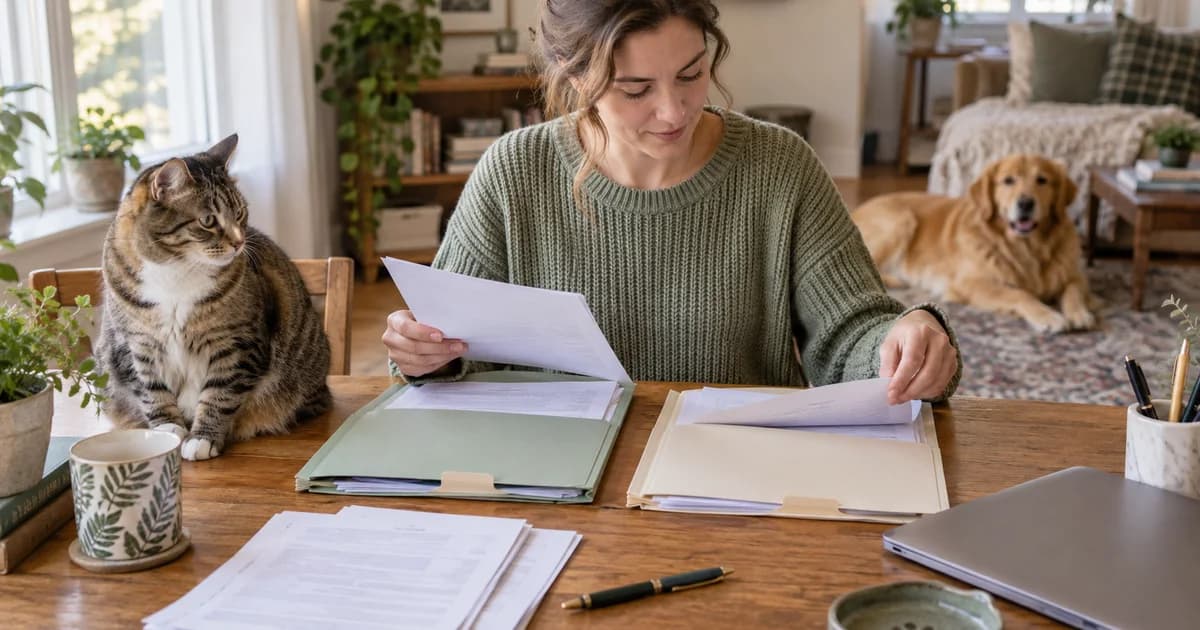
Ask anyone who has their act together and the advice sounds the same. Keep one folder per pet. Scan every piece of paper the day you get it. Name each file the same way every time, with the date and what it is. Sort by year. Back it up somewhere that isn't just your phone. And the hard part: update it after every visit, every shot, every new prescription, so it is never out of date when you actually need it.
It is good advice. If you can keep it up, you will never scramble for a record again.
What I actually did (which was nothing)
Here is the honest version. With all that advice in front of me, what I did at first was nothing. I had a pet, a busy life, and a vague sense that the paperwork was somewhere.
Then real life forced my hand. I needed to board my pet, and later I flew with three cats on a single trip (yes, really). Both times the routine was the same. I would look online for the exact documents the airline or the boarding facility wanted, run a few searches, and ask Google, ChatGPT, and Claude what I was missing. Then I would email my vet for whatever they had on file, and wait, and hope it arrived before the deadline.
It worked. Barely. And it was stressful every single time.
The system I eventually built
After enough of these fire drills, and a couple more pets, it finally clicked that I should just get organized. So I made a Google Drive. One folder per pet, labeled by name. I uploaded records by year, with a naming convention I made up so I could actually find things later.
It paid off. The next time I took a pet to the vet, and the time I had to file a pet insurance claim, I had every document ready. No frantic emails. No waiting.
Build the folder system in six steps
Here is a version you can copy. The folder names and sample dates below are examples of the system, rather than a reconstruction of my old Drive. You do not need a perfect archive before it becomes useful. Start with the current papers, then work back through the older inbox when you have time.
Step 1: Make one home for each pet
Create a top-level folder called Pet records, then one folder inside for each pet: for example, Nala, Rufus, and Toulouse. Add an identifying detail if two animals have the same name. Keep each pet’s papers separate even when they went to the clinic together. A family invoice with three pets on it can be saved in each relevant folder, with a note that it covers more than one animal.
Step 2: Separate the current handoff from the history
Inside each pet’s folder, make a Current documents folder and a folder for each year, such as 2025 and 2026. The year folders hold the history. The current folder holds the documents you repeatedly send, especially the latest signed rabies certificate. Keep old versions in the archive instead of deleting them to make the current folder look tidy.
Use the what pet records to keep checklist to decide what belongs in the file. This article is about finding those records again; you do not need a dozen new categories for every possible piece of paper. If you can find the latest certificate and the previous visit notes, the structure is already doing useful work.
Step 3: Use a date-first file name
2026-10-13_Nala_Rabies-certificate_Clinic-name.pdf2026-10-13_Nala_Visit-summary_Clinic-name.pdf2026-10-13_Nala_Invoice_Clinic-name.pdf
Use the document’s visit or vaccination date, followed by the pet, document type, and clinic. The examples use the same date to show the pattern; use the actual date on your own paper. If the date is unknown, write date-unknown rather than guessing. Keep a separate note when a corrected document replaces an earlier version. The name should help you find the source, not pretend to be the source.
Step 4: Gather readable originals
Download the clinic’s original PDFs when available. For paper, photograph or scan every page in good light, include all edges, and open the finished file to check small dates and signatures. A thumbnail that looks fine can still be unreadable when someone zooms in. Keep medication instructions and certificates complete; do not crop out context to make a smaller file.
If something is missing, use the records-request email template. Ask for the source documents rather than rewriting a remembered date into a new file. Save the reply’s attachments into the right folder as soon as they arrive. Your email inbox can be the delivery route without being the filing system.
Step 5: Back up and test access
A cloud folder gives you a copy beyond your phone. Keep a second backup of important originals somewhere you can reach if you lose access to that account. If another household member needs the file, invite their specific account to the folder and check the permission they need. Avoid making the whole archive public just to send one certificate to a boarding desk.
Open the folder on the phone you actually bring to check-in. Can you locate the correct pet and view the full certificate? Ask a caregiver to try too, if they will handle appointments. A folder that only makes sense on your laptop is going to feel less organized when you are standing in a lobby.
Step 6: Attach the update to the vet visit
- Before you leave the clinic, ask for the visit summary and any new certificate or written medication instructions.
- When the files arrive, put them in that pet’s year folder and rename them with the same pattern.
- Refresh the current folder if a certificate was replaced. Keep the older copy in the archive.
- Note the due dates the vet gave you and set a reminder to check them. Tell the other caregiver which document changed.
If you cannot file it immediately, make one To file folder and return to it during a regular weekly check. That is a fallback, not a second permanent archive. The small habit matters more than the folder design. Opening a folder full of scan-final-2.pdf is just searching your inbox with different scenery.
Here is the catch
That system works, but it is a lot to carry. You have to design it, keep it tidy, and remember to update it after every visit. The remembering is the part that quietly falls apart. A folder is only as good as the last time you fed it.
That gap is the whole reason I built MyPetVault. I wanted the organized-person system without having to be the organized person.
If you would rather not download anything
I mean that. If you are reading this on a browser and you are not ready for an app, use the free tools we built for you. Pick what you need and it writes the email or call script to your vet, so you can start gathering records today, with us or without us.
Try the free record-request tools
Inside the pet record app, you can upload a document, use Smart Scan to help read it, and review the suggested details before saving. It is still your job to check the right pet, dates, and instructions. You can start free with one pet, and keep your own backup copies too.
And if you find a system that works better for you than our app, genuinely, use it. I am not precious about it. I built this for me and for you, so that your records, and the power to use them, stay in your hands. A tap away.
Common questions
Do I need an app to organize pet records?
No. One folder per pet, readable originals, consistent file names, and a routine after each visit can work in Drive or another storage tool.
Should I delete old vaccination certificates?
Keep them in the history folder and keep the current signed copy easy to find. A new certificate changes what you hand over; it does not make the previous history useless.
What date should I put in the file name?
Use the documented visit or vaccination date. If it is unknown, mark it as unknown rather than guessing. The original document remains the source.
What if I only have paper records?
Photograph or scan the complete pages, check that the dates and signatures are readable, and save them under the correct pet. Ask the clinic for a PDF if your copy is unclear.
How often should I update the folder?
After each visit, vaccination, new prescription, or corrected document. Tie filing to receiving the clinic’s papers and use a weekly catch-up if needed.
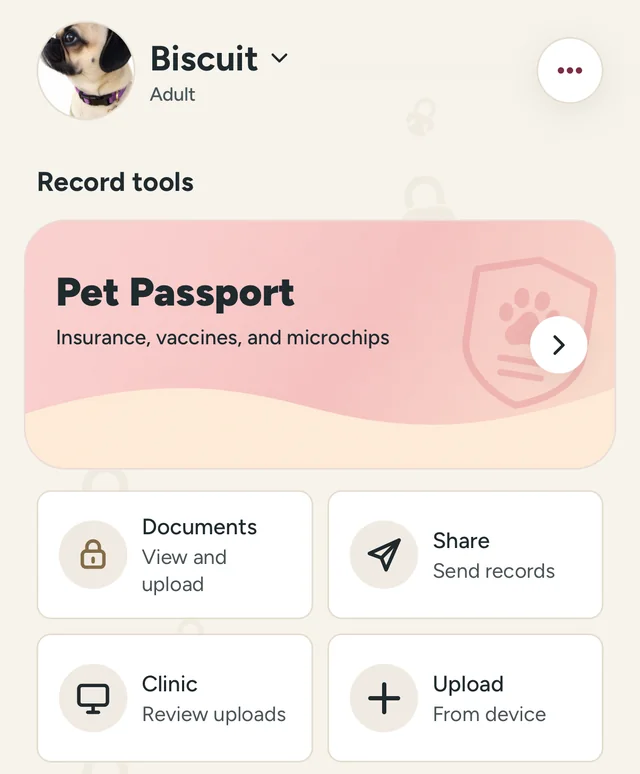
If keeping a folder fed is the part you struggle with too, download MyPetVault and start with your first pet free. Save one current document today; the archive can grow from there.
Tommy Cao, founder of MyPetVault
Sources & further reading
Doing this in the app? Saving records help guide
Keep reading
 Why people don't swap pet hotels3 min read
 Pet Bloodwork Costs: Focused Panels and When to Discuss Yearly Testing9 min read