Help
Saving records.
Three ways to add a record: a photo, a file you already have, or by hand. Pick whichever is easiest.
Take a photo
- Open the Records tab and pick your pet.
- Tap Upload.
- Tap Take photo and scan the page. On iPhone, the camera finds the edges for you.
- Turn on Smart scan if you want the app to fill in the record, then tap Scan and upload.
You'll see each suggested record to check before anything is saved.
Before you take the photo
A clean photo means fewer fixes later:
- Lay the paper flat on a table.
- Use good light. Daylight is best. Avoid shadows on the page.
- Get the whole page in the frame.
- Hold the phone steady. Wait for the text to look sharp.
- Make sure the writing is the right way up.
Upload a PDF or a photo you already have
Files can be up to 15 MB each.
- Open the Records tab, pick your pet, and tap Upload.
- Tap Upload from device.
- Pick Choose a file for a PDF, JPG, or PNG from Files, or Choose photos to pick one photo or several. Several photos become one PDF, one page each.
- Turn on Smart scan if you want it filled in, then upload.
Type it in
- Open the Records tab, pick your pet, and tap Upload.
- Under Add manually, pick Vaccine, Vet visit, Medication, or Allergy.
- Fill in the fields and save.
Same record, no camera.
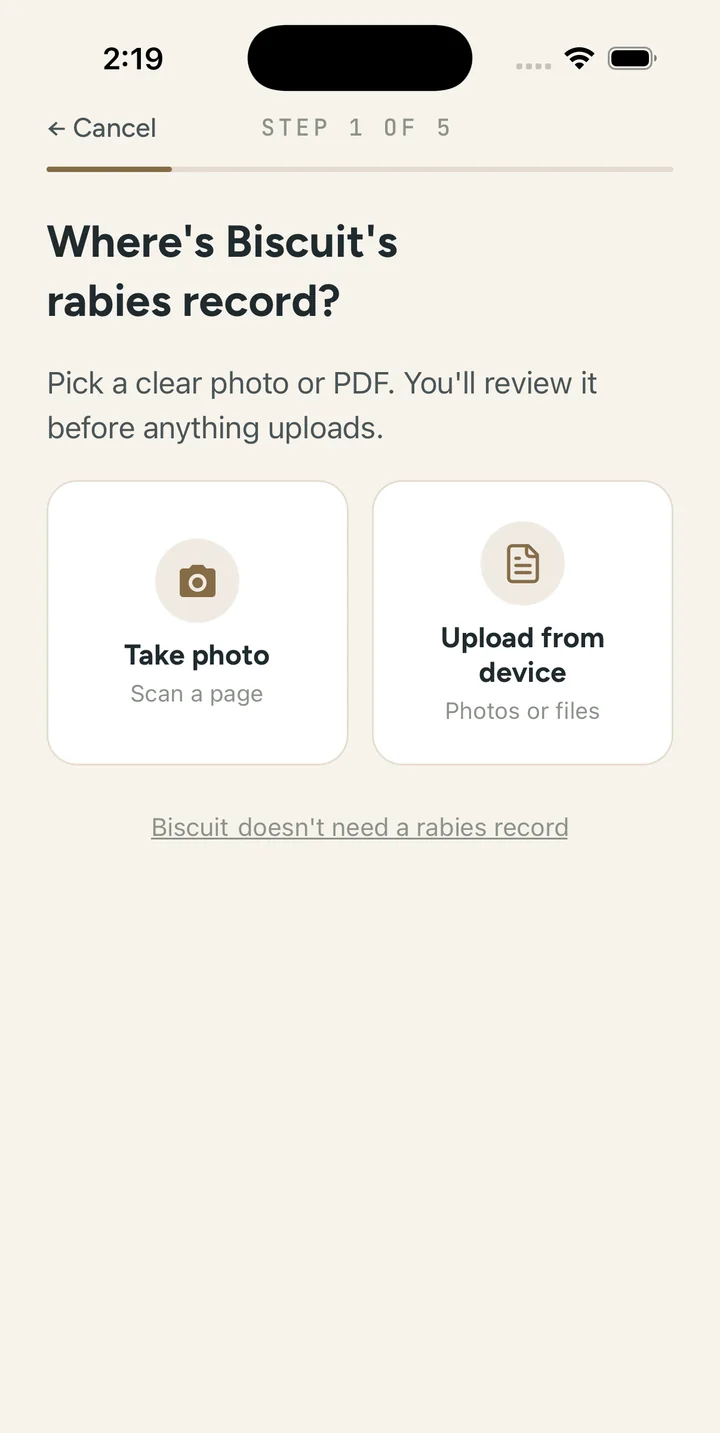
Rabies certificates go on the Passport
A rabies certificate has its own spot, so it's ready when a groomer, boarder, or landlord asks for it.
- Open the Records tab, pick your pet, and tap Pet Passport.
- Tap Upload record.
- Tap Take photo or Upload from device.
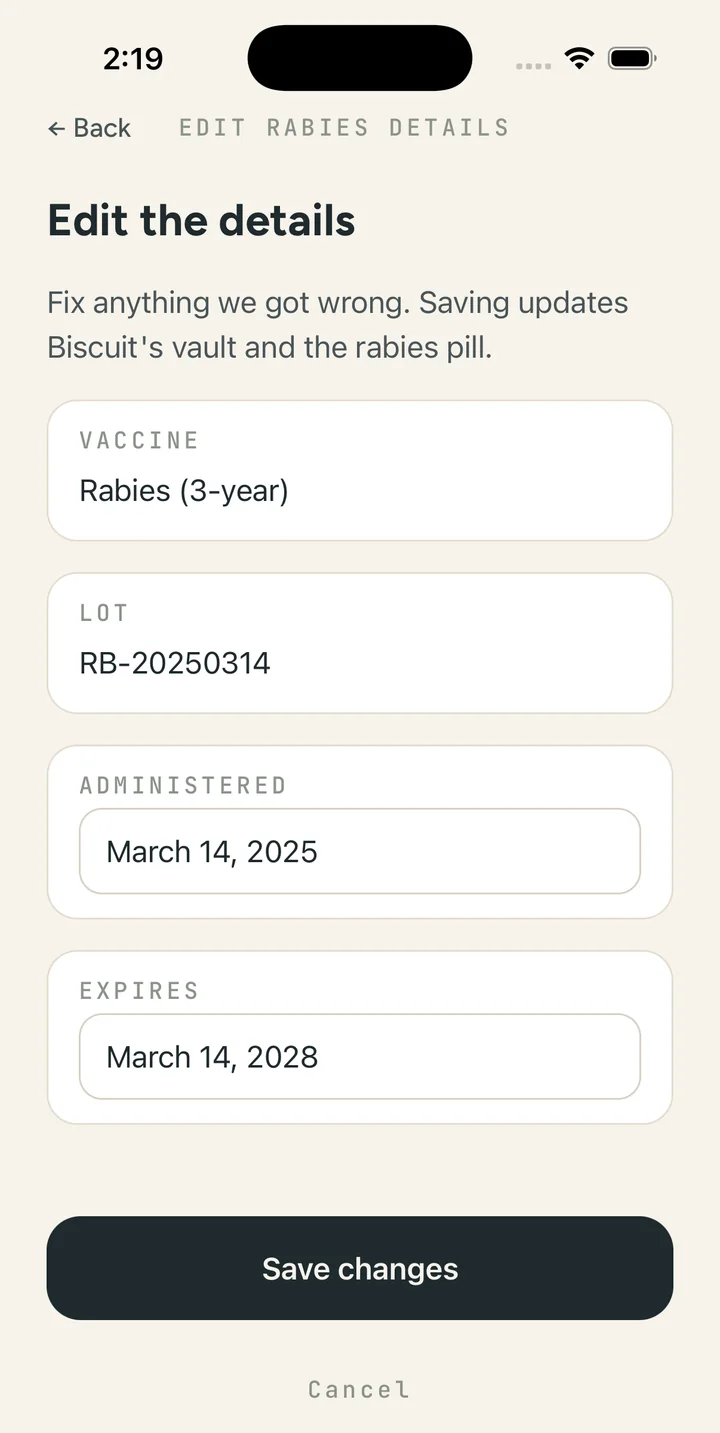
- Check the vaccine, lot number, and dates, then tap Looks good · save.
The Passport shows Ready to share, and we'll remind you a month before it expires.
Checking what the app found
With Smart scan on, the app walks you through what it found, one screen at a time.
- Check the document's name and date, then tap Continue.
- Add the clinic's details if you like, or tap Skip.
- For each suggested record, tap Confirm, tap Edit to fix a field, or tap Skip.
- On the last screen, save the records you confirmed.
Anything marked Low confidence. Review carefully deserves a second look.
What we can read
We do well with:
- Vet receipts and visit summaries
- Vaccine cards
- Lab reports
- Pill bottle labels
- Discharge sheets
When we get it wrong
We try, but we're not perfect. Handwriting can be hit or miss. Tap Edit to fix a field, or Skip a suggestion that's too far off and type it in by hand instead.
We never save without your okay.
Nothing lands on your pet's page until you save it. Read each suggestion first, fix what's wrong, then keep it.
Don't want to upload? Don't.
Smart scan stays off until you turn it on. If you'd rather not send the paper at all, just type the record in by hand. You get the same record either way.
Did this answer your question?
Common questions
How do I save a vet record with a photo?
Open the Records tab, pick your pet, and tap Upload. Tap Take photo and scan the page. Turn on Smart scan if you want the app to fill in the record, then tap Scan and upload. You check every suggestion before anything is saved.
Can I save a record without taking a photo?
Yes. Open the Records tab, tap Upload, and under Add manually pick Vaccine, Vet visit, Medication, or Allergy. Fill in the fields and save. Same result, no camera needed.
What kinds of vet papers does MyPetVault work with?
Vet receipts, visit summaries, vaccine cards, lab reports, pill bottle labels, and discharge sheets. PDFs and photos both work.
What makes a good photo of a vet paper?
Lay the paper flat, use good light (daylight is best), get the whole page in the frame, and hold the phone steady until the text looks sharp. Make sure the writing is right-side up.
What happens if MyPetVault reads something wrong?
While you review, tap Edit on the suggestion and fix the field before you save. If too much is off, tap Skip and type the record in by hand.
Is my vet paper saved if I don't tap save?
No. Nothing lands on your pet's page until you save it. Read each suggestion first, fix what's wrong, then keep it.