Help
Getting started.
About two minutes. You can stop after any step and pick up later.
Get the app
MyPetVault is on iPhone and Android in the US and Canada. Get it from the download page.
Make an account
Sign up with your email and a password, or with Apple or Google. Your first pet is free, with no card required.
Signed up with email?
We send you a link to confirm it. Tap it before you upload records or invite family. Apple and Google sign-ins skip this step.
Add your first pet
The app asks a few quick questions: your pet's name, what kind of animal they are, their gender, and whether they're spayed or neutered. Not sure of the gender? Pick Not sure.
Birthday, weight, and a photo are optional. Tap Skip for now and fill them in later.
Add your first record
- On the last setup screen, tap Upload first record. Later, you'll find the same thing on the Records tab under Upload.
- Tap Take photo to scan a vet paper, or Upload from device to pick a photo or PDF you already have.
- Turn on Smart scan if you want the app to fill in the record for you, then tap Scan and upload.
- Check each suggestion: Confirm it, Edit it, or Skip it. Then save.
The record shows up on your pet's page. Nothing is saved until you save it.
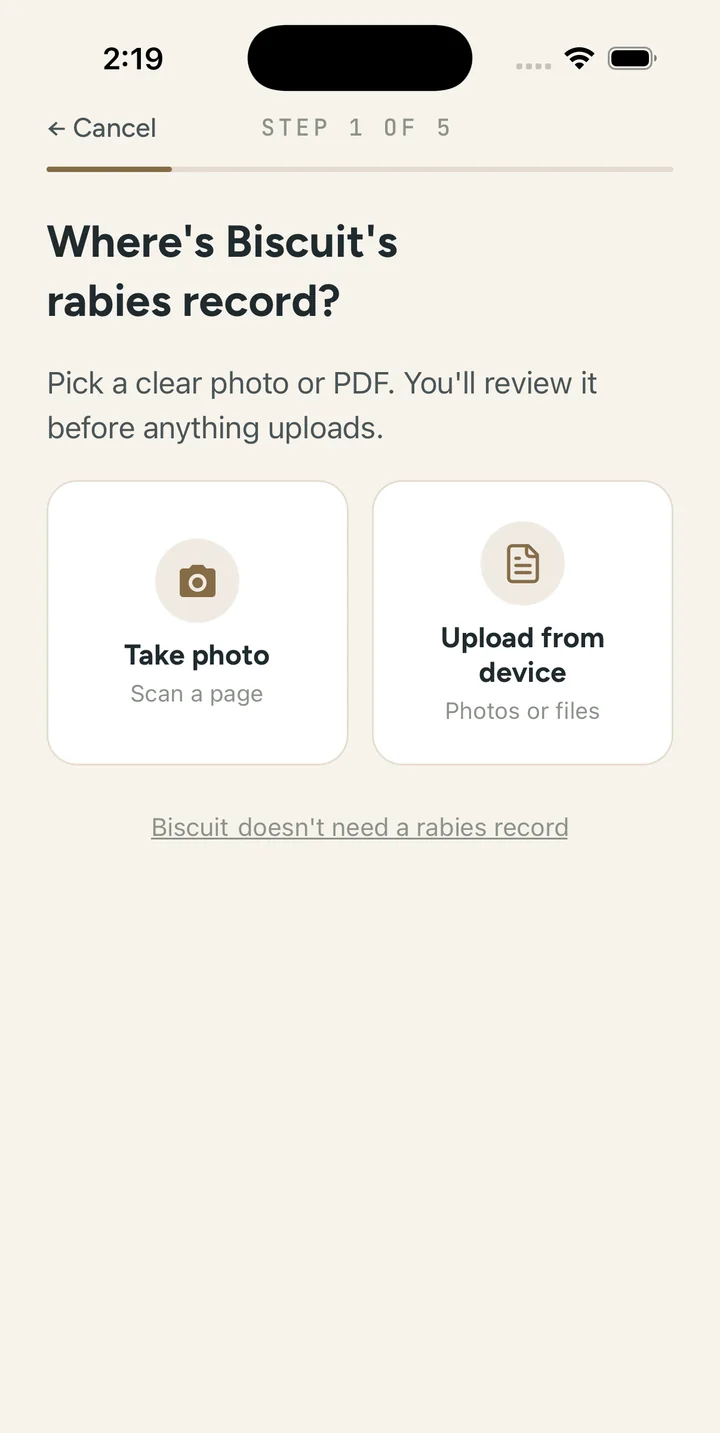
Adding a rabies certificate?
It has its own place on your pet's Passport. See rabies certificates.
Turn on reminders
Pick a date for the next shot or the next pill and we'll nudge you when it's time. For the nudge to show up, notifications need to be on.
- In the app, open Profile, tap the gear, then Notifications.
- On iPhone, open the Settings app, find MyPetVault, and make sure notifications are allowed. On Android, open Settings, tap Apps, find MyPetVault, and turn on notifications.
No nudge arrived? See the reminders fix.
What to expect on day one
Day one is mostly about getting one pet and one record in. You don't need to back-fill years of paperwork. Start with what's on your fridge or in your glovebox today, and add more when you find it.
If a photo gives you trouble, take it again in better light or type the record in by hand. Both work the same once they're saved.
Did this answer your question?
Common questions
How do I add my first pet to MyPetVault?
Create an account with email and password, Apple, or Google, and the app walks you through adding your first pet. It asks for a name, the kind of animal, gender, and whether they're spayed or neutered. Birthday, weight, and a photo can wait: tap Skip for now and fill them in later.
Do I have to add everything on day one?
No. Get one pet and one record in, and stop there if you like. Add more paperwork as you find it.
Do I need a credit card to try MyPetVault?
No. Your first pet is free, with no card required. Add Plus when you need more.
Can I add more than one pet?
Free includes one pet. Plus supports up to 10 pets, each with their own records and reminders.
What do I do if a photo doesn't come out clear?
Take it again with better light, or type the record in by hand. Both work the same once the record is saved.