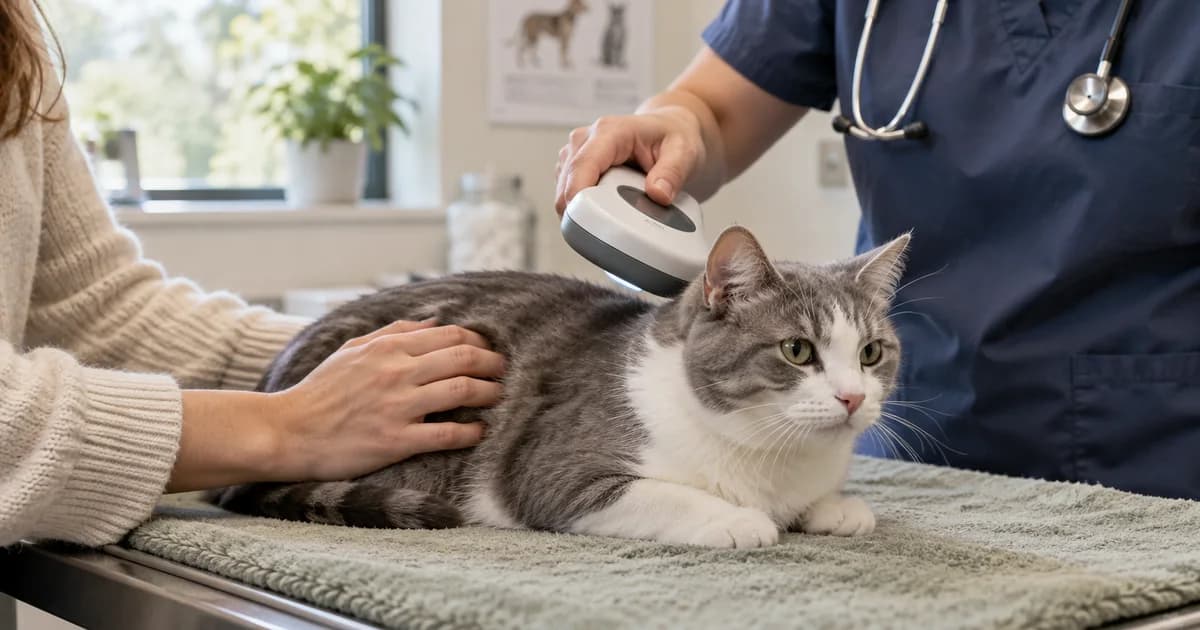
A chip number on a sticker can look like a finished job. It is really the start of a small chain: the chip is scanned, the number leads to a registry, and the registry helps someone reach you. If that last step points to an old phone or the previous owner, the paperwork still needs attention. You can check it while your pet is safely beside you, before you need it in a hurry.
What a microchip does, and where your details live
The chip stores an identification number. It is not a GPS tracker, and your current phone number is not written onto the chip. Your contact information lives with the registration service. That is why changing phones or moving house calls for a registry update, rather than a new chip simply to change an address.
The AAHA lookup FAQs explain that the public tool identifies participating registries and does not show owner contact details. It primarily serves chips distributed in the United States. For a chip registered elsewhere, ask the vet, shelter, or registration service which local lookup applies. The useful outcome is a working route to your contact information, rather than a particular website returning a result.
Step 1: Get the complete number
- Check the adoption packet and vet records. Look for a microchip sticker, registration certificate, implantation record, or a chip number on the pet’s profile. Copy every digit, including any leading zero.
- Compare copies if you have more than one. An invoice can contain a typo, or a sticker may belong to another animal in the packet. Flag a mismatch rather than choosing the number that looks most familiar.
- Ask for a scan if the number is missing or uncertain. A veterinary clinic or shelter can read a chip with a scanner. Write down the result and ask staff to confirm which pet was scanned before you file it.
You do not need to guess the number from its length or the brand of a collar tag. If a scan finds more than one chip, ask the vet and relevant registries how to record both numbers and keep their contact information current. A scan identifies a number; it does not tell you that registration is complete.
Step 2: Identify the registry
- Open the AAHA Universal Pet Microchip Lookup. Enter the number exactly as recorded and run the search. The lookup is public; you do not need an AAHA membership account.
- Read the registry results. Contact the listed registration service to check the record. If several registries appear, work through the relevant entries rather than assuming every contact is current.
- If only a manufacturer or distributor appears, ask it where to register or locate the record. That result alone is not confirmation that your details are registered.
- If no result appears, check the number and contact the chip manufacturer, implanting clinic, or shelter. The tool searches participating services, so no result does not prove the physical chip is missing or unusable.
Do not create a second registration as a shortcut around a transfer you have not resolved. Ask the service which record needs updating. Save its official website and support details so the next check does not begin with an uncertain search result.
Step 3: Update the contact details directly
Use the registry’s own account page or support team. Find its update or account-recovery process if you no longer have the login. You are updating the registration service’s record; changing an address with your vet, insurance provider, or MyPetVault is a separate task.
- Your name and the phone number you currently answer.
- A current email address and mailing address where the registry asks for them.
- A backup contact, if the registry supports one, who has agreed to be contacted.
- The correct pet description and chip number, so the record matches the animal.
Save the changes and verify them in the registry account or with support. Keep the confirmation date. A form you started but never submitted, or a transfer email waiting for approval, is unfinished. Use your own reachable details and tell a backup contact why their number is there. Keep account passwords in your password manager rather than a pet-care sheet you share widely.
Step 4: Transfer the registration after adoption
Ask the shelter, rescue, breeder, or previous owner whether the transfer was initiated and which service handles it. Adoption paperwork and chip registration are separate records. The shelter may have done the update, may be waiting for you to accept it, or may remain a contact under its adoption policy. Confirm the arrangement instead of assuming the folder settled it.
- Gather the adoption or transfer paperwork and chip number. Make sure the number matches the animal’s scanned number if there is any doubt.
- Use that registry’s transfer procedure. It may require a form, evidence, a fee, or approval from the contact already on file. For example, AKC Reunite has a dedicated transfer process; its rules do not apply to every registry.
- Ask the previous contact or shelter to complete its part. If you cannot reach them, ask registry support what evidence it accepts. Keep the request and response.
- Verify the completed record. Check which person is the primary contact and whether your phone and email are correct. Save the confirmation, not just the original transfer request.
If an adoption agreement requires the organization to remain a contact, ask it and the registry how you will be listed and reached. The aim is a clear handoff that follows that agreement and the registry’s process. For the rest of the packet, use the adopted-cat records checklist or new-puppy paperwork checklist.
What to save in your pet’s file
- The complete chip number and manufacturer, if known.
- The implantation date and clinic, if documented.
- The registry name, official account address, and support contact.
- The registration or transfer confirmation and the date you last verified the details.
- Any second chip number or outstanding transfer issue the vet or registry tells you to follow up.
Keep the details with the other pet records worth saving. Use a file name such as 2026-10-13_Nala_Microchip-registration.pdf so it is easy to distinguish from a vaccination certificate. That name is a filing example, not evidence that a chip was implanted or a registry was updated on that date. The original confirmation is the evidence.
A microchip entry does not replace a rabies certificate
The chip helps identify the pet; the signed vaccination certificate documents the vaccination. One cannot fill in for the other at a boarding desk. If the certificate is missing, use the lost rabies certificate replacement guide to contact the clinic that gave the shot. Keep the documents together, but keep their jobs separate.
When to check again
Check the registration after adoption, a move, a changed phone number, or a change to your backup contact. Add a yearly check to a routine you already remember, such as organizing the paperwork after an annual vet visit. Ask the clinic whether a chip scan can be included at a suitable visit, especially if the number in your file has never been verified.
If your pet goes missing, contact the registration service to report that and check how it handles lost-pet alerts. Follow the local shelter and animal-control reporting process as well. A saved number makes those calls easier; it does not replace them. If your registry becomes unreachable or closes, ask the manufacturer, vet, or shelter how to establish a current registration with a working service.
Written for pet owners in the US & Canada. Rules and fees vary by location, so confirm the details with your clinic.
Common questions
Can I update my phone number through the AAHA lookup?
No. The lookup identifies participating registries. Update your contact information directly through the registry’s account or support team.
What if the lookup finds no registration?
Check the digits, then contact the manufacturer, implanting clinic, or shelter. Only participating registries are searched, so an empty result is not proof there is no physical chip.
Is registration automatically transferred when I adopt?
Do not assume it is. Ask the shelter or previous owner, complete the registry’s transfer process, and verify who is listed with current contact details.
Is a microchip a GPS tracker or vaccine record?
No. It stores an identification number. It does not track your pet’s location or prove vaccination; keep the signed rabies certificate separately.
Does saving a chip number in MyPetVault register it?
No. MyPetVault stores the information with your pet’s records. Registration, transfers, and contact updates still happen directly with the registration service.
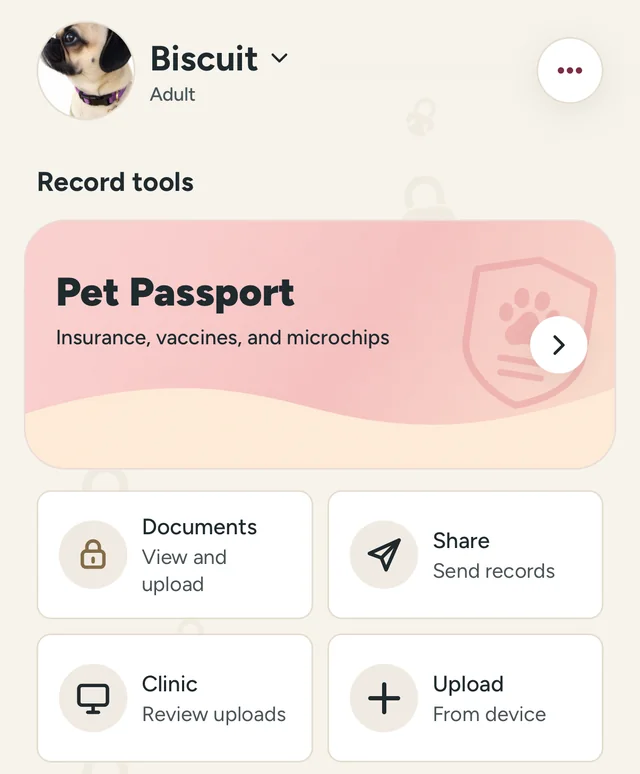
Once the registry is current, give the number a home you can find. MyPetVault is a pet record app for keeping microchip information beside the rest of your pet’s file. Your first pet is free; update the registry first, then save your copy.
Keep your pet’s details together
Tommy Cao, founder of MyPetVault
Sources & further reading
Keep reading
 What Pet Records Should You Keep? A Practical Filing Guide8 min read
 Pet Bloodwork Costs: Focused Panels and When to Discuss Yearly Testing9 min read